
Download Desktop Facebook – Free, Secure Mac App for Instant Facebook Access
Overview
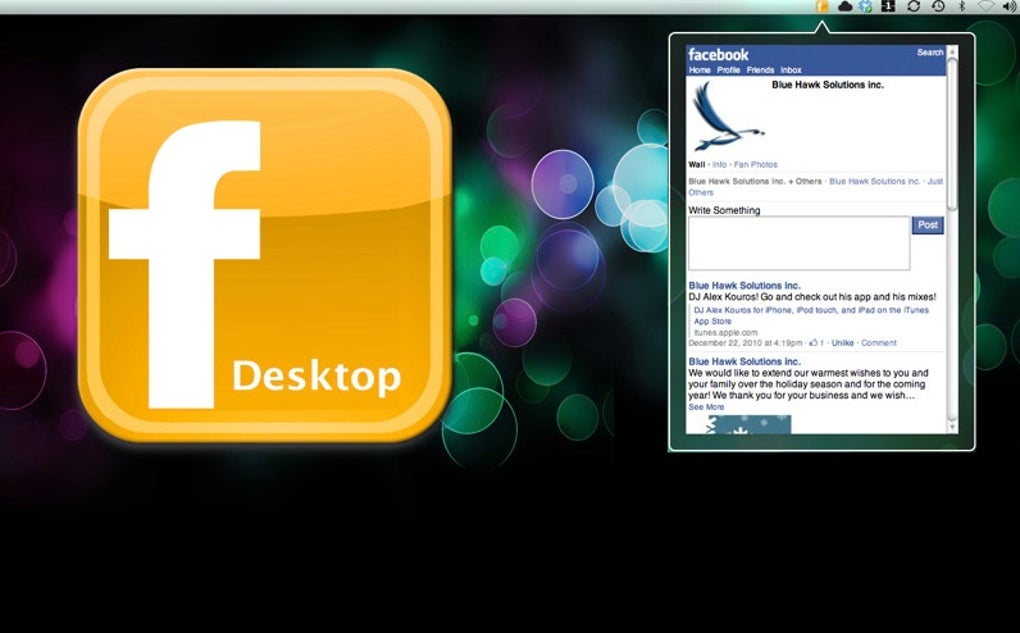
Desktop Facebook brings the familiar Facebook experience directly onto your Mac desktop without the need to launch a web browser. Designed for power users and social‑media addicts, this lightweight, free app logs you in automatically as soon as you start your Mac, placing a discreet menu‑bar icon that indicates your online status. The moment you click the icon, your news feed, notifications, and quick‑post composer appear in a compact window, letting you stay connected while you work on other tasks.
Because it runs outside of a browser, Desktop Facebook reduces memory consumption and eliminates the clutter of extra tabs, making your workflow smoother and your Mac faster. While the app does not expose the full suite of privacy settings found on the web version, it offers a fast, secure, and always‑ready gateway to Facebook’s core features. Whether you’re checking updates between meetings, responding to messages, or simply scrolling your feed during a coffee break, Desktop Facebook keeps the social network one click away from your menu bar.
Key Features of Desktop Facebook
- Instant login – the app signs you in automatically when you start macOS.
- Menu‑bar presence – a tiny icon shows your online status and opens the feed with a single click.
- Lightweight design – consumes far less RAM than a full browser tab.
- Real‑time notifications – alerts for likes, comments, and messages appear instantly.
- Quick post composer – write status updates, share links, or upload photos without opening Safari or Chrome.
- Discreet operation – runs in the background with no dock icon, keeping your workspace tidy.
- Free of charge – no subscription fees, in‑app purchases, or hidden costs.
- Secure connection – uses Facebook’s HTTPS API to protect your credentials.
- Automatic updates – the app checks for new versions and installs them silently.
- Mac‑native look – integrates seamlessly with macOS visual style and dark mode.
Each of these features was crafted with the goal of minimizing friction between you and the social platform you love. By eliminating the need to type your password each session, Desktop Facebook saves seconds that add up over the day. The menu‑bar icon not only tells you whether you’re logged in, but also acts as a launchpad for the feed, keeping the experience consistent with other native macOS utilities. Because the app runs as a background process, it stays out of your Dock and does not distract you with unnecessary UI elements. This design philosophy makes Desktop Facebook especially attractive for professionals who need quick social updates without compromising productivity.
Installation, Usage, Compatibility, Pros & Cons, and FAQ
Installation & First‑Run Setup
Getting Desktop Facebook up and running takes less than a minute. Download the DMG file from the official website, open it, and drag the app icon into your Applications folder. macOS may warn you that the app is from an unidentified developer; simply open System Preferences → Security & Privacy → General and click “Open Anyway.” The first launch will prompt you to sign in with your Facebook credentials; after a successful authentication, the app stores an encrypted token so you won’t need to re‑enter your password on subsequent logins. If you prefer not to auto‑login, you can disable this feature in the Preferences window, accessible via the menu‑bar icon → Settings.
How to Use Desktop Facebook
Once installed, a small blue “f” appears in your menu bar. Clicking it opens a compact window that mirrors the core Facebook interface: your news feed, friend suggestions, and notification panel. You can scroll, like, comment, and share just as you would in a browser. To post a status, click the “Write something…” box at the top of the feed, type your message, add photos or links, and hit “Post.” For messaging, select the messenger icon in the top‑right corner to open a chat sidebar where you can send text, images, or video calls (provided you have the Messenger web client enabled). When you’re done, simply close the window; the app stays resident in the menu bar, ready for the next click.
Compatibility
Desktop Facebook is built for macOS 10.14 (Mojave) and later, including Ventura and Sonoma. It runs natively on both Intel‑based Macs and Apple Silicon (M1/M2) thanks to Apple’s universal binary support. While there is no official Windows, Android, or iOS version, the app’s lightweight architecture makes it an ideal companion for any Mac user who wants a dedicated Facebook client without opening a browser.
Pros & Cons
- Pros:
- Fast, one‑click access to Facebook.
- Low memory footprint compared to a full browser.
- Free and regularly updated.
- Secure token‑based authentication.
- Menu‑bar integration keeps the desktop uncluttered.
- Cons:
- Limited configuration options – no deep privacy controls.
- Dock icon is non‑functional, which can confuse new users.
- Only provides core Facebook features; advanced settings are unavailable.
- Relies on Facebook’s web API, so occasional UI mismatches may occur after platform updates.
Frequently Asked Questions
Is Desktop Facebook completely free?
Yes, the app is 100 % free to download and use. There are no hidden fees, subscriptions, or in‑app purchases.
Can I disable automatic login?
Absolutely. Open the Preferences window from the menu‑bar icon and toggle the “Auto‑login on startup” option.
Does the app support Dark Mode?
Yes, Desktop Facebook automatically follows macOS’s system appearance, switching between Light and Dark modes seamlessly.
Is my Facebook password stored securely?
The app never stores your raw password. It uses Facebook’s OAuth token system, which encrypts authentication data and stores it in the macOS Keychain.
Will the app work on Apple Silicon Macs?
Yes, Desktop Facebook is compiled as a universal binary and runs natively on both Intel and Apple Silicon processors.
Conclusion – Should You Download Desktop Facebook?
For anyone who lives on Facebook and wants a streamlined, always‑ready way to stay connected, Desktop Facebook delivers exactly what it promises: a fast, secure, and free Mac‑native client that lives in your menu bar. The app eliminates the need to fire up a full browser, conserves system resources, and keeps your social feed just a click away. While it lacks deep privacy controls and offers only the core Facebook experience, the trade‑off is a minimalist interface that does its job without distraction.
If you’re a power user who frequently checks notifications between tasks, the convenience of instant access outweighs the modest limitations. Give Desktop Facebook a try—there’s no cost, no subscription, and the installation process is painless. Click the download button, add the app to your Applications folder, and experience a cleaner, faster way to browse Facebook on your Mac.
Overall Rating: 4 out of 5 stars
Pros: Quick access, low memory usage, free, secure token login.
Cons: Limited settings, no advanced privacy controls, dock icon non‑functional.







